August 3, 2026
KaKeKiKoKu Studio 1.15.5: your AI and project knowledge on one screen
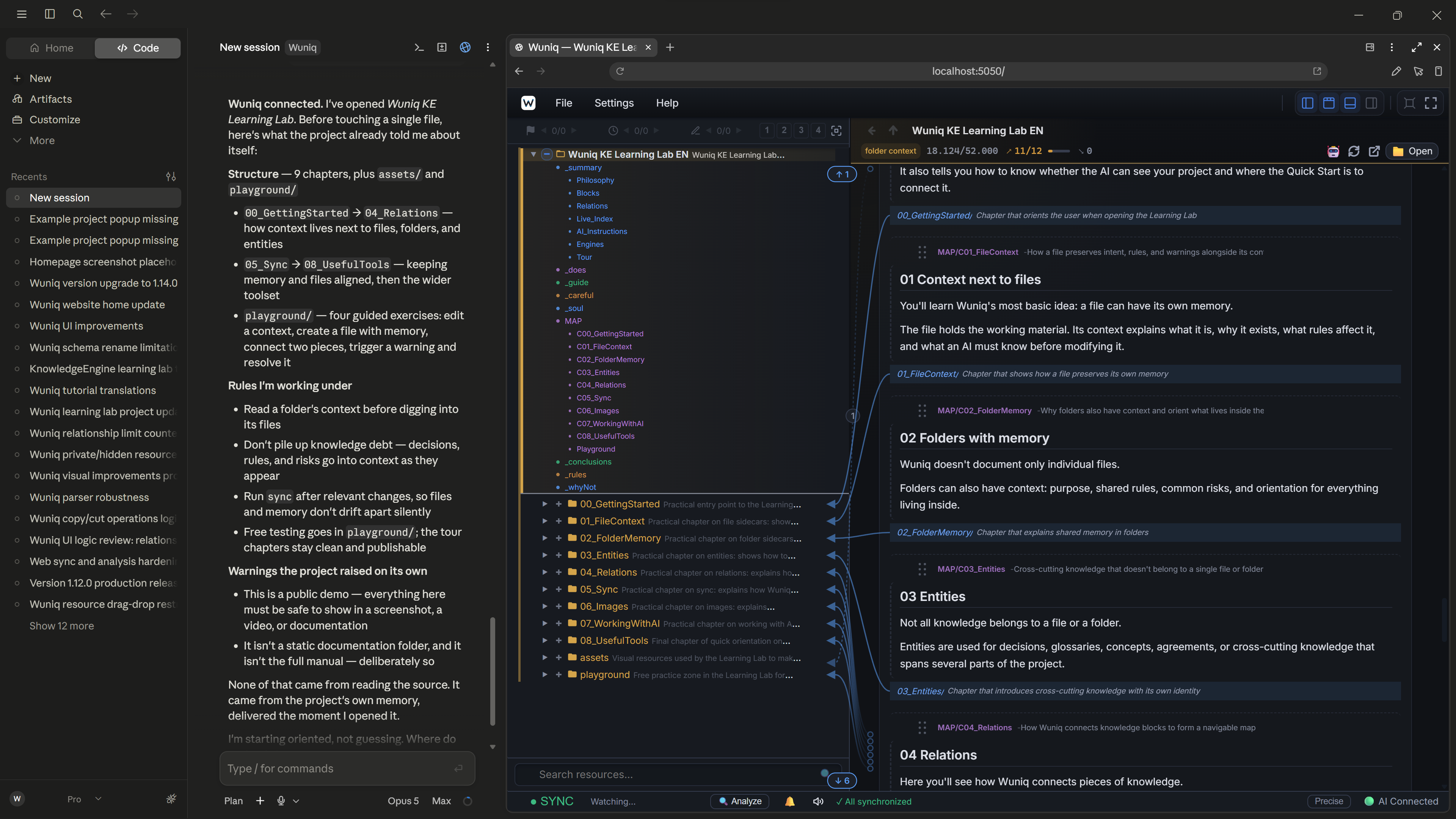
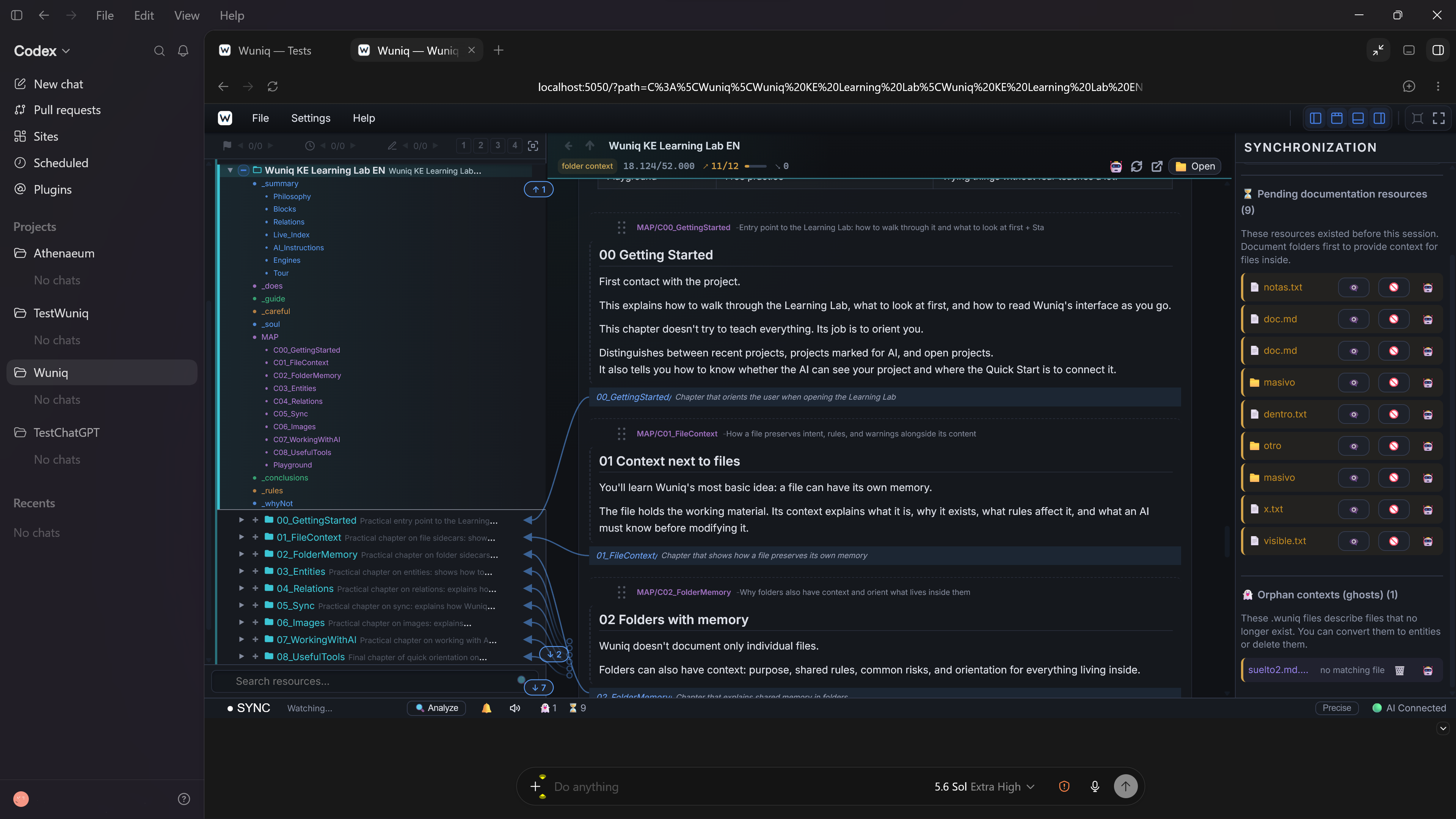
Run Studio inside ChatGPT (Codex) or Claude Desktop Code. Keep the conversation, the knowledge layer, and the work your AI is doing in view at the same time.
There is a difference between giving your AI access to project knowledge and being able to watch it use that knowledge.
Studio runs as a local web app. That means an AI editor with a built-in browser pane can show it directly beside the conversation. Today, that includes ChatGPT with Codex and Claude Desktop Code.
The result is simple: the conversation on one side, Studio on the other. One screen to work, supervise, and understand what is happening.
No second window buried behind the editor. No breaking your flow just to check Studio. The project knowledge stays visible while the AI works with it.
Watch the knowledge being used
When Studio sits beside the conversation, its indicators stop being something you only notice occasionally.
You can see when the AI connects, when it reads project knowledge, and when it writes. Studio lights up green while reading and red while writing. The tree, the relations, the open resource, and the synchronization issues remain in front of you while the work moves forward.
That turns a technical integration into something tangible. You do not have to trust blindly that the AI is using the right context. You can watch it happen.
The AI can see your side of the work, too
The integration also works in the other direction. Modern models can understand images, and inside these editors they can inspect the visual state of the browser pane when you give them access to it.
MCP remains the reliable route for reading and changing structured knowledge. Vision adds another signal. The AI can see which resource you opened, which part of the map you are exploring, or which synchronization warning is on screen. You do not have to translate every visual step into a paragraph before asking for help.
Structured knowledge tells the AI what the project knows. Visual recognition helps it understand what you are looking at right now. Together, they make the boundary between your work and the AI’s work much thinner.
A window that does not disappear
Every tool that forces you to switch windows competes for your attention. When an AI is working quickly, the conversation usually wins.
With Studio inside the editor, that competition disappears. The chat and the knowledge layer become part of the same workspace.
You can also open multiple Studio tabs. Keep the project map in one, a specific resource in another, and the synchronization state of a different project in a third. You do not have to close one view to inspect another.
The AI works with the project. You keep the memory guiding that work in sight.
Still completely local
Studio does not become a hosted service or hand its interface to another platform. The editor is simply displaying the local app already running on your machine.
The usual address is http://localhost:5050. If you changed the port in Studio, use that port instead.
The integration guides include a prepared prompt that lets the AI configure the pane for you. In practice, setup is one paste. Studio must already be running; the editor attaches to the instance that is there.
The path from 1.15.0 to 1.15.5
KaKeKiKoKu Studio 1.15.0 rebuilt a substantial part of what happens below the surface: the language used by the AI, the boundaries between operations, and much of the internal consistency of the Studio Web app.
KaKeKiKoKu Studio 1.15.5 continues that path with another round of corrections and refinements. The goal remains the same: fewer exceptions, fewer surprises, and a more consistent experience for both the person and the AI.
But a better workflow is not only about what happens inside the engine. It is also about how naturally the tools fit into the place where you already work.
Your AI already works inside the editor. The knowledge guiding it can be there, too.
One conversation. One project. Its memory. One screen.
InstallDownload KaKeKiKoKu Studio (free)
Quick startSet up KaKeKiKoKu Studio with your AI client
IntegrationsOpen the per-client guides